Crypto Gateway Pay docs
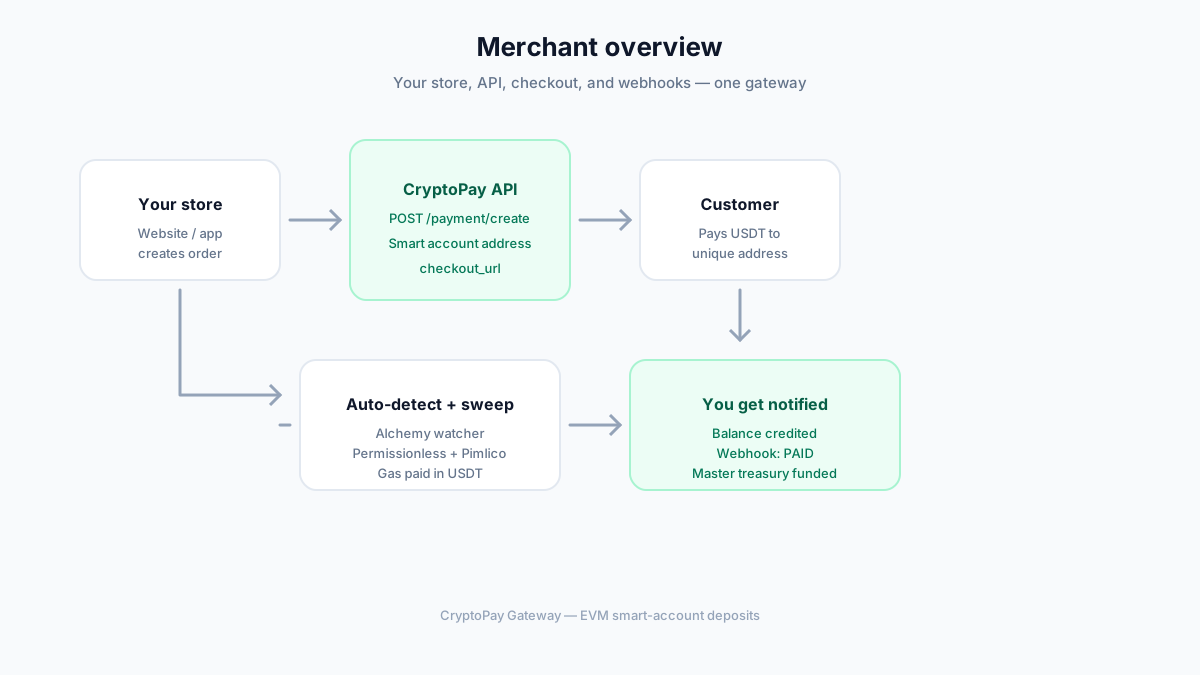
Accept crypto payments in a few steps. Your customer pays to a unique smart-account address. We detect it automatically, credit your balance, and notify your server.
1. Get keys
Register → secret key
2. Create invoice
One API call
3. Get webhook
Order marked paid
How it works
You do not ask the customer for a transaction hash. They only send crypto to the address we show.
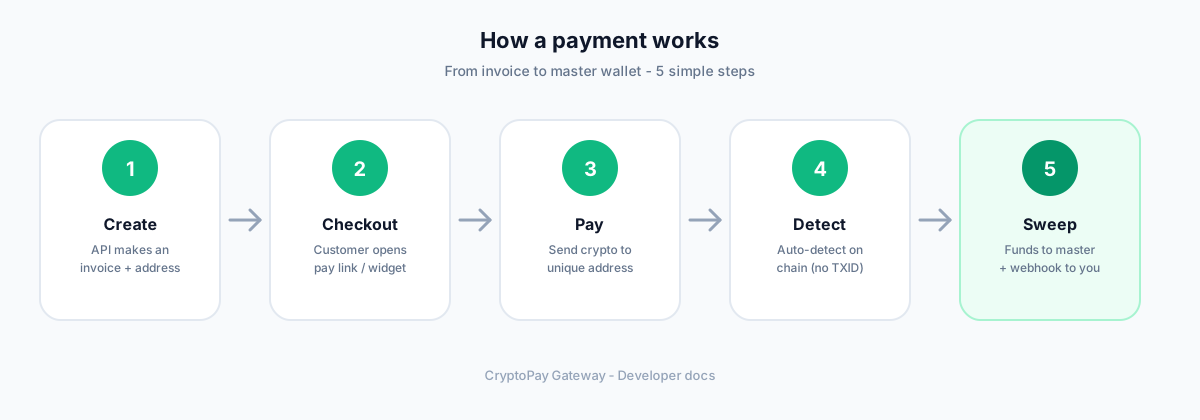
You create an invoice (API)
checkout_url and a unique smart-account deposit address.Customer opens checkout
Customer pays
We auto-detect
You get paid + notified
API keys
Authentication header
After register, copy your secret key (shown once). Or rotate in Dashboard → API Keys.
X-Merchant-Secret-Token: sk_your_secret_key
Keep this secret. Never put it in frontend JavaScript.
Create a payment
POST /api/v1/payment/create
Request body
requested_network_asset is optional — customer can change coin in checkout.
{
  "amount_fiat": 150.00,
  "fiat_currency_code": "USD",
  "requested_network_asset": "USDT_BEP20",
  "merchant_order_reference": "ORD-2026-X99",
  "webhook_callback_url": "https://yoursite.com/webhook"
}
Response
{
  "invoice_id": "inv_90a1f87c12e5",
  "checkout_url": "https://your-host/pay/inv_90a1f87c12e5",
  "payment_deposit_address": "0x...",
  "crypto_amount_calculated": "150.000000",
  "network_asset_type": "USDT_BEP20",
  "expiration_timestamp": 1783382400,
  "channel_share": { "...": "ready-made chat messages" }
}
Open checkout_url for the customer, or use channel_share for WhatsApp / Telegram / Discord text.
Change coin later (optional)
POST /api/v1/payment/{invoiceId}/select-asset — public, used by checkout.
{ "network_asset": "USDT_BEP20" }Check payment status
Prefer webhooks. If you need to poll (mobile app, etc.):
GET /api/v1/payment/{invoiceId}
Public — returns status, amounts, and deposit address.
{
  "invoice_id": "inv_...",
  "status": "PENDING",
  "deposit_address": "0x...",
  "crypto_amount": "150.000000",
  "network_asset": "USDT_BEP20",
  "expiration_timestamp": 1783382400,
  "blockchain_tx_hash": null
}
Checkout (customer UI)
Hosted page: /pay/{invoiceId}. Same flow on desktop, mobile, and software WebView.
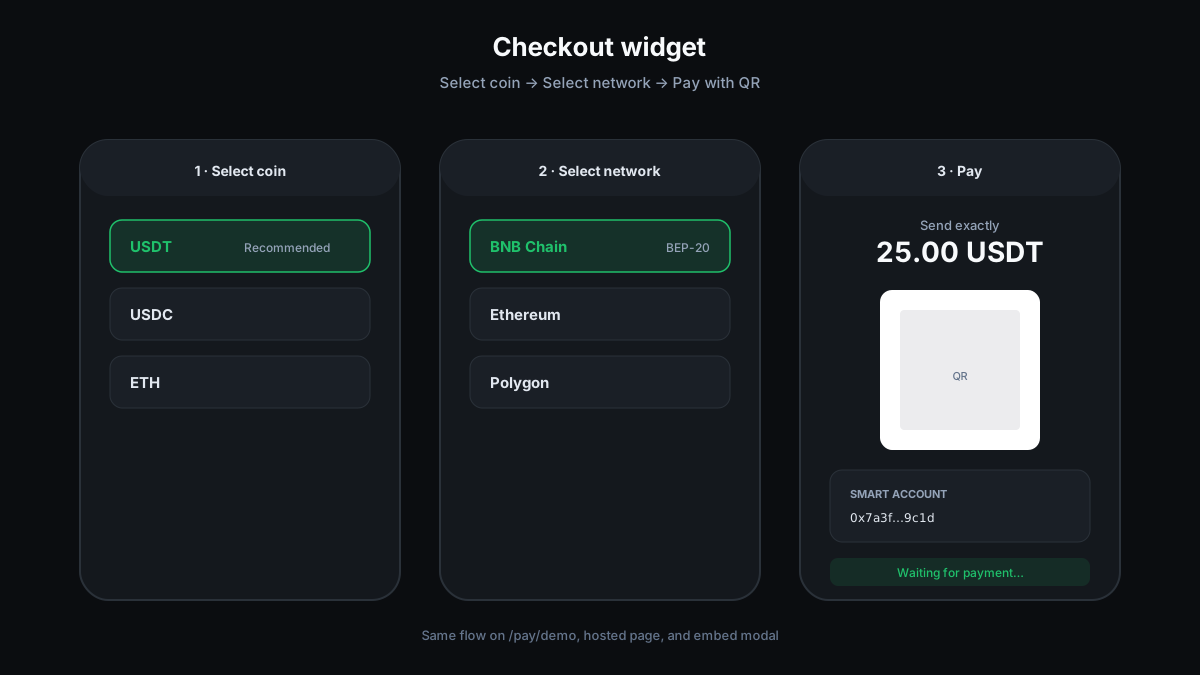
- Select coin → Select network → Pay (QR + address)
- Invoice expires in 5 minutes by default
- No need to paste TXID — waiting screen updates when paid
Invoice statuses
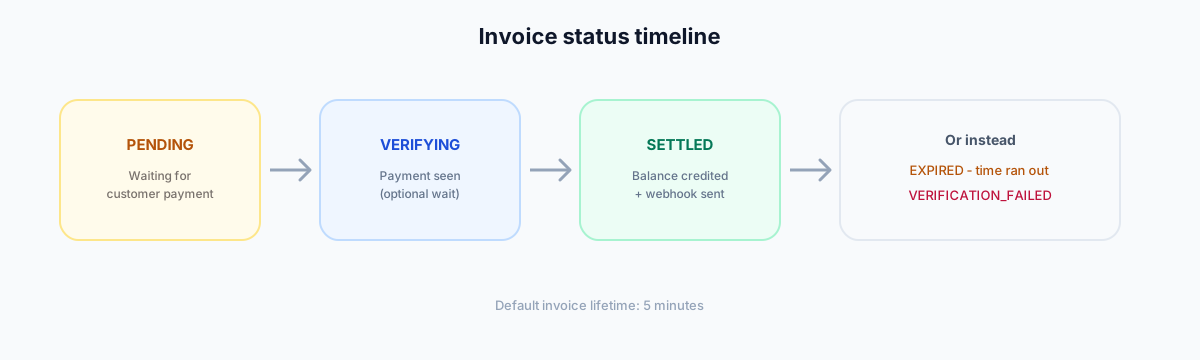
PENDING
Waiting for payment
VERIFYING
Seen on-chain (confirming)
CONFIRMED
Payment verified
SETTLED
Success — balance credited + webhook
EXPIRED
Not paid in time
VERIFICATION_FAILED
Invalid or insufficient payment
Embed on your site
Modal / popup
Load /embed.js then open checkout.
<script src="https://your-host/embed.js"></script>
<script>
  CryptoPay.openCheckout({
    url: "https://your-host/pay/inv_xxx?embed=1",
    onSuccess(e) {
      // e.orderReference, e.txHash, e.invoiceId
      console.log("Paid!", e);
    }
  });
</script>
Events: cryptopay:payment:success, failed, expired, ready
Webhooks
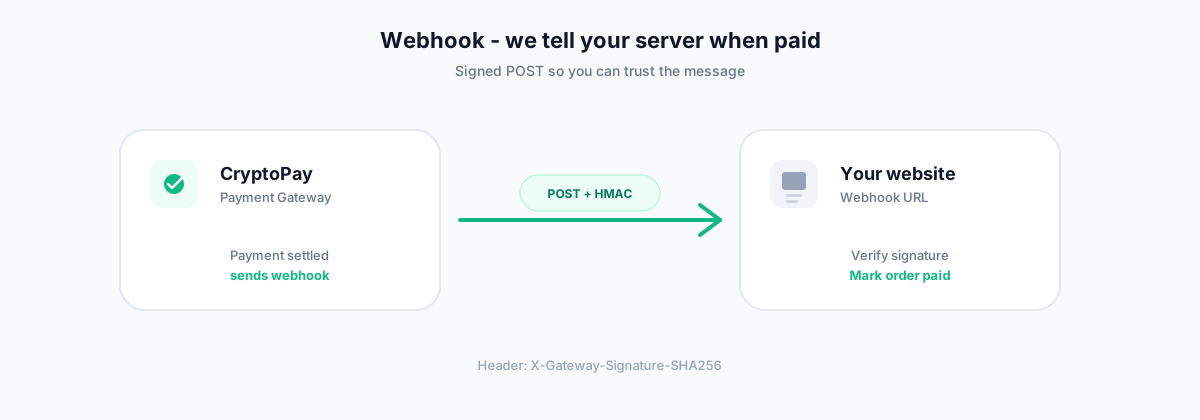
When a payment settles, we POST to your URL so you can fulfill the order automatically.
Events
payment.transaction_confirmed   ← payment success
payment.verification_failed
payment.transaction_expired
withdrawal.completed
withdrawal.failed
Example body
{
  "event_type": "payment.transaction_confirmed",
  "event_id": "uuid",
  "invoice_id": "inv_...",
  "merchant_order_reference": "ORD-1",
  "blockchain_tx_hash": "0x...",
  "net_fiat_credited": 149.25,
  "settlement_currency": "USDT_BEP20",
  "timestamp_resolved": 1783381950
}
Security
Header X-Gateway-Signature-SHA256 = HMAC-SHA256 of the raw body with your secret key. Always verify before trusting the event.
Set URL in Dashboard → API Keys, or per invoice with webhook_callback_url. Use Send test webhook to try. Retries: 3.
Coins & networks
GET /api/v1/payment/assets
Public list of enabled checkout assets and networks.
EVM: USDT · USDC · ETH · BNB on Ethereum, BSC, Polygon, Arbitrum, Base, Optimism — unique smart-account address + Permissionless sweep via Pimlico (gas paid in received token).
Fees (simple)
Monthly
$0
Free to create an account — no subscription.
Per payment
0.5%
Deducted from each settled payment (default 0.5%). A small per-checkout markup may apply depending on your account plan.